Transform Old Phones into Business Security - Save Money with UniCam
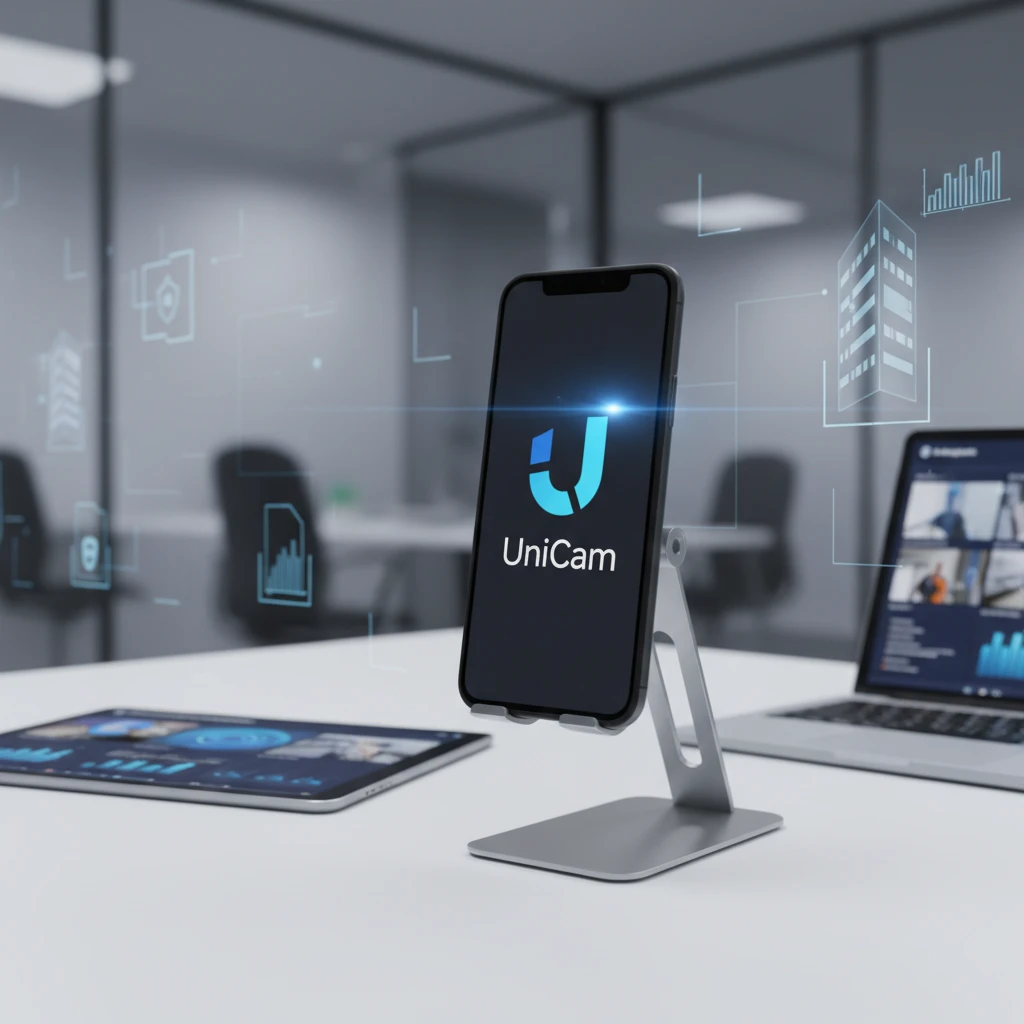
In today's fast-paced business world, protecting your assets and gaining a competitive edge often feels like a costly endeavor. Many small to medium-sized businesses struggle with the financial strain of implementing robust security systems, leaving valuable inventory, equipment, and premises vulnerable. The traditional approach—investing in brand-new, often expensive, surveillance equipment—can quickly deplete budgets, especially for companies navigating tight margins.
This challenge is compounded by the increasing demand for operational insights. Beyond just security, businesses are looking for ways to understand customer behavior, optimize processes, and enhance efficiency through intelligent monitoring. However, integrating complex video analytics and AI capabilities into existing security infrastructure usually comes with a prohibitive price tag and a steep learning curve, putting advanced business intelligence out of reach for many.
What if there was a simple, affordable, and incredibly smart way to address both your security concerns and your desire for deeper operational insights, all while repurposing technology you already own? This article will explore how UniCam provides a revolutionary solution, allowing you to transform old phones into business security cameras, saving significant money while unlocking powerful AI-driven intelligence for your operations. Discover how UniCam Mobile turns your forgotten devices into vigilant protectors and insightful analysts, making advanced surveillance accessible to every business.
Key Takeaways
- Repurpose Existing Assets: Turn unused smartphones into fully functional, high-quality security cameras with UniCam Mobile, significantly cutting hardware costs.
- Unlock Cost-Effective Security: Implement a robust surveillance system for a fraction of the price of traditional setups, protecting your business without breaking the bank.
- Gain Smart Operational Insights: Leverage UniCam AI Platform to analyze video streams for business intelligence like foot traffic, queue management, and staff efficiency, extending value beyond just security.
- Enjoy Simple Setup & Management: UniCam's intuitive interfaces and network discovery features make camera setup and ongoing management accessible, even for non-technical users.
- Scalable & Future-Proof: Start small with your old phones and seamlessly integrate professional IP cameras and advanced AI as your business needs grow, all within the UniCam ecosystem.
The Hidden Potential in Your Old Devices – A Smart Business Strategy
Every business, no matter its size, likely has a drawer or a box filled with old smartphones gathering dust. These aren't just obsolete gadgets; they are powerful, internet-connected mini-computers equipped with high-definition cameras, microphones, and advanced processing capabilities. In the conventional view, they're simply electronic waste. But for the savvy business owner, they represent an untapped resource, a chance to transform old phones into business security assets.
Imagine the cost savings if you didn't have to purchase a dozen new IP cameras for your store, warehouse, or office. Traditional security cameras, especially those with decent resolution and network capabilities, can be a significant upfront investment. Then there's the cost of installation, wiring, and potentially a dedicated recording device (NVR or DVR). This is where UniCam Mobile steps in, offering a game-changing alternative that sidesteps these expenses. By downloading the UniCam Mobile app onto an old iOS or Android smartphone, you instantly convert it into a fully functional, live-streaming security camera. This isn't just about cutting costs; it's about smart resource management and embracing innovative solutions that truly impact your bottom line.
Why Repurposing Makes Business Sense
The business benefit of this approach is immediate and profound. Firstly, it drastically reduces your initial hardware expenditure. Instead of buying new equipment, you're utilizing assets you already possess. Secondly, it offers incredible flexibility. These "new" cameras are portable and can be deployed exactly where you need them most, whether it's monitoring a temporary pop-up shop, an overlooked corner of your retail floor, or ensuring security during after-hours in a storage room. This strategy makes professional-grade surveillance accessible to businesses of all sizes, ensuring that every square foot of your operation can be monitored effectively and affordably, without the technical complexity often associated with setting up a new security system.
UniCam Mobile – Your Business's New Budget-Friendly Security Solution
UniCam Mobile isn't just an app; it's a complete cross-platform IP camera monitoring application designed to make sophisticated surveillance simple and affordable. Its core strength lies in its ability to empower you to transform old phones into business security cameras, but its capabilities extend much further, providing a comprehensive and user-friendly experience for any business owner.
Let's break down the key features of UniCam Mobile and how they translate into tangible business benefits:
-
Turn old phone into mobile camera: This is the cornerstone of our solution.
- What it is: UniCam Mobile allows you to repurpose any iOS or Android smartphone as a live-streaming security camera by installing the app.
- Why it matters: This provides massive cost savings, eliminates the need for expensive dedicated hardware, and enables quick deployment of cameras exactly where you need them.
- Real example: A small retail store owner needs to monitor a new display area but can't afford another professional camera. They use an old iPhone, install UniCam Mobile, and instantly have a new, high-definition camera feed accessible from their main UniCam dashboard.
-
Network discovery: Getting your cameras online shouldn't be a headache.
- What it is: UniCam Mobile (and UniCam HUB) automatically detects cameras and devices on your local network, including your newly repurposed phone-cameras and other IP cameras.
- Why it matters: This means effortless setup. No technical networking knowledge is required; your cameras simply appear, ready for monitoring. It saves time and eliminates frustrating configuration steps.
- Real example: A busy restaurant manager adds a newly repurposed phone-camera to their kitchen. UniCam automatically finds it, and within minutes, the manager can see the live feed without manual IP address input or complex settings.
-
Custom layouts: Tailor your monitoring experience to your specific needs.
- What it is: Arrange camera feeds in flexible, personalized viewing grids on any device.
- Why it matters: You can create custom dashboards that prioritize the most critical views, allowing for efficient monitoring and quick identification of potential issues. This saves time and reduces mental fatigue during surveillance.
- Real example: A property manager oversees several common areas. They create a custom layout showing the main entrance, parking lot, and package room on one screen, with individual apartment building entrances on another, switching between them with ease.
-
Multiplatform accessibility: Your business doesn't stop, and neither should your monitoring.
- What it is: UniCam works seamlessly across iOS, Android, tvOS, AndroidTV, Web, and Desktop.
- Why it matters: This provides unparalleled flexibility. You can monitor your business from your smartphone while on the go, from your desktop computer in the office, or even a smart TV in a security booth. This ensures constant vigilance and peace of mind from anywhere, at any time.
- Real example: A business owner is traveling but wants to quickly check in on their store. They simply open UniCam Mobile on their tablet and instantly access all live feeds, ensuring everything is in order.
-
Recordings (Cloud Recordings): Securely store and access your vital footage.
- What it is: UniCam offers safe and secure cloud storage for your video footage.
- Why it matters: This provides crucial evidence for security incidents, disputes, or compliance requirements. Cloud storage eliminates the need for on-site recording devices that can be stolen or fail, offering enhanced data security and accessibility.
- Real example: After an after-hours incident, a business owner needs to review footage from two nights ago. With cloud recordings, they can easily access and download the relevant video clips from any device, providing clear evidence for authorities or insurance claims.
-
Industry standard ONVIF protocol: Don't get locked into a single brand.
- What it is: UniCam is compatible with thousands of IP cameras using the ONVIF (Open Network Video Interface Forum) standard – a universal protocol that lets cameras from different brands work together.
- Why it matters: This ensures broad compatibility, allowing you to integrate existing IP cameras with your UniCam system alongside your repurposed phone-cameras. It gives you freedom of choice for future hardware purchases and protects your investment.
- Real example: A business upgrading its security can use its existing ONVIF-compatible professional cameras and seamlessly integrate them into the UniCam ecosystem, benefiting from centralized monitoring and management alongside their new budget-friendly phone-cameras.
Beyond Basic Security – Unlocking Business Intelligence with UniCam AI
While transforming old phones into business security cameras offers significant cost savings and protection, UniCam's capabilities extend far beyond simple surveillance. With the UniCam AI Platform, your security footage becomes a powerful source of business intelligence, providing actionable insights that can drive efficiency, improve customer experience, and boost your bottom line.
Think of it this way: your cameras aren't just watching; they're learning and reporting. The UniCam AI Platform is designed to help business owners and managers move from reactive security to proactive, data-driven operational management.
-
Ingest any stream from any device:
- What it is: The UniCam AI Platform can connect and analyze live streams from virtually any source – your repurposed phone-cameras, traditional IP cameras, or even UniCam Mobile apps being used for field reporting.
- Why it matters: This universal ingestion capability means all your video sources, regardless of their origin, can feed into a single, intelligent analysis engine. This creates a holistic view of your operations, enabling comprehensive insights across your entire business.
- Real example: A multi-location restaurant chain uses UniCam to analyze streams from both their high-end kitchen cameras and repurposed phone-cameras in the dining area. The AI combines data from all sources to identify peak customer times, staffing needs, and common service bottlenecks.
-
Custom AI analysis with custom prompts:
- What it is: Define your own AI-driven insights using natural language prompt-based instructions, much like you'd chat with an advanced AI assistant.
- Why it matters: This puts the power of AI directly into your hands, without needing a team of data scientists. You can tailor the AI to answer your specific business questions, making the insights incredibly relevant and actionable.
- Real example: A retail manager might prompt the AI: "Count how many customers enter the store between 10 AM and 12 PM daily," or "Identify instances where a customer waits longer than 5 minutes in line at checkout." The AI then processes the video data to provide these precise metrics.
-
Ingest video files and analyze with LLM:
- What it is: Beyond live streams, you can upload existing video files for automatic understanding and event extraction using advanced Large Language Models (LLM) powered AI.
- Why it matters: This allows for retrospective analysis of existing footage, turning hours of passively recorded video into structured, searchable data. It's invaluable for incident review, performance audits, or historical trend analysis.
- Real example: A warehouse manager uploads a week's worth of security footage after a spike in damaged goods. The UniCam AI analyzes the videos to identify patterns in employee handling, forklift routes, or potential points of impact, pinpointing the root cause.
The UniCam AI Platform isn't just about catching intruders; it's about providing robust business intelligence. You can gain insights into:
- Customer behavior analysis: Understand foot traffic patterns, popular product zones, and dwell times.
- Operational efficiency monitoring: Identify bottlenecks in service, observe employee productivity, and optimize store layouts.
- Staff performance insights: Analyze interactions, identify training opportunities, and ensure compliance with procedures.
- Automated incident reporting: Get immediate alerts for predefined events, streamlining response and record-keeping.
- Data-driven decision making: Use hard data to inform staffing, marketing, and operational adjustments, leading to growth and cost reduction.
With UniCam AI, your repurposed phones and existing cameras become intelligent eyes, transforming raw video into strategic business advantage, all with flexible usage based pricing so you only pay for the AI processing you actually use.
Simple Setup, Powerful Protection – How UniCam Works for You
One of the biggest hurdles for business owners when considering new technology is the perceived complexity and the need for specialized IT knowledge. UniCam is specifically designed to overcome this, providing a solution that is both incredibly powerful and refreshingly simple to use. Our goal is to ensure that anyone, from a small business owner to a facility manager, can set up, manage, and benefit from advanced surveillance without becoming a CCTV expert.
The journey starts with UniCam Mobile, transforming your old phone into a camera. The process is as straightforward as:
- Download the UniCam Mobile app on your old smartphone.
- Mount the phone in the desired location (a simple phone stand or mount works wonders).
- Connect it to power for continuous operation (essential for any camera).
- Open the UniCam app on your viewing device (another phone, tablet, or web browser) and watch as UniCam's Network Discovery feature automatically finds and adds your new camera to your dashboard.
That’s it. No complicated IP configurations, no port forwarding headaches, and no need to call in a technician.
As your business grows and your security needs evolve, UniCam scales with you effortlessly. You might start with a couple of repurposed phones, but then decide to add dedicated IP cameras for more critical areas. UniCam HUB then becomes your central command center, offering advanced camera management features:
-
Camera management:
- What it is: Configure, monitor, and update all connected cameras (both your repurposed phones and professional IP cameras) from one centralized dashboard.
- Why it matters: This simplifies ongoing maintenance and administration, saving valuable time and ensuring all your cameras are operating optimally. You don't have to manage each camera individually.
- Real example: A facility manager needs to adjust motion detection sensitivity across five different cameras in their building. Instead of logging into each camera's interface separately, they use UniCam HUB to make the changes globally or selectively from one screen.
-
Motion detection & Events:
- What it is: Detect motion and trigger alerts or recordings automatically when movement is spotted in defined areas.
- Why it matters: This means you don't have to watch hours of footage—you'll get notified instantly if something happens at your store after hours or in a restricted area, saving you time and giving you peace of mind. It also optimizes cloud recording storage by only recording when necessary.
- Real example: A warehouse owner sets up motion detection zones around high-value inventory. If any movement is detected after closing hours, they immediately receive an alert on their phone, allowing them to quickly assess the situation.
-
Remote access cameras securely:
- What it is: View and manage your cameras from anywhere in the world via encrypted connections.
- Why it matters: Whether you're at home, on vacation, or managing multiple locations, you have secure, real-time access to your business's visual data, ensuring you're always connected and informed.
- Real example: A manager overseeing multiple coffee shop locations can check on operations, staff presence, and customer flow at any store from their laptop, ensuring consistent service and security across all branches.
UniCam's unified platform, covering UniCam Mobile, UniCam HUB, and UniCam AI Platform, ensures that whether you're repurposing an old phone or integrating a complex AI analysis workflow, the experience remains consistent, secure, and focused on delivering maximum business value with minimal hassle.
Frequently Asked Questions
Can I use any old phone to transform into a security camera?
Yes, UniCam Mobile is designed to work with most iOS and Android smartphones, even older models. As long as the phone can run the UniCam Mobile app and has a functional camera, it can be repurposed. For optimal performance, a phone with a decent camera and a stable Wi-Fi connection is recommended.
How secure is using UniCam for my business surveillance?
UniCam prioritizes security. All remote access to your cameras and cloud recordings is handled via encrypted connections, similar to banking-level security. Your data is stored safely in the cloud, protected against local hardware failures or theft. UniCam HUB and Mobile ensure secure communication channels, giving you peace of mind.
What about battery life if I'm using an old phone as a camera?
For continuous operation, we highly recommend keeping your repurposed smartphone plugged into a power source (charger) at all times. This ensures uninterrupted recording and monitoring. You can also use long charging cables or power banks for more flexible placement options.
How many cameras can I connect to UniCam? Is there a limit?
UniCam is highly scalable. You can connect a single repurposed phone-camera or hundreds of professional IP cameras and UniCam Mobile devices across multiple locations. UniCam HUB and UniCam AI Platform are built to manage extensive networks, growing with your business needs without imposing rigid limits.
Do I need to be a CCTV or IT expert to set up UniCam?
Absolutely not. UniCam is designed for business owners and managers, not IT professionals. Features like network discovery automate much of the setup process. The user-friendly interfaces and clear instructions make it simple to get started, even if you have no prior experience with security systems.
Conclusion
The notion of transforming old phones into business security cameras isn't just a clever hack—it's a powerful, cost-effective strategy that UniCam has perfected for modern businesses. By leveraging UniCam Mobile, you can unlock significant savings, repurposing readily available resources into vigilant protectors of your assets. This innovative approach makes robust surveillance accessible, simple to deploy, and manageable for even the least technical business owner.
But UniCam goes further. It’s not just about seeing what happens; it’s about understanding why it happens and how to improve. Through the UniCam AI Platform, your repurposed cameras become intelligent analysts, providing invaluable business intelligence that drives operational efficiency, enhances customer experiences, and fuels growth. From safeguarding your premises to optimizing your workflow, UniCam empowers you with affordable, intelligent insights.
Ready to unlock the hidden potential in your old devices and transform your business's security and intelligence? Visit the UniCam website today to explore UniCam Mobile, UniCam HUB, and UniCam AI Platform. Start your journey towards smarter, more affordable business monitoring and experience the future of intelligent surveillance firsthand. The future of business security and operational insight is here, and it's powered by UniCam.